User Registration & Login
User Registration & Login for Tuning File Platform
This guide explains the user registration and login processes for the tuning file management platform and ECU file management software.
7-Day Free Trial Access
UpdatedAll newly registered accounts now receive a 7-day free trial.
Trial Features
Both Admin and User accounts receive access to the portal for 7 days. During the trial period, users can test:
- File Services
- Portal Settings
- Portal Functionalities
- General System Features
User Registration Process
To create an account on our platform, follow the step-by-step registration process below:
Step 1: Visit the Registration Page
Go to the registration page: https://portal.tuningdesk.com/register
Step 2: Enter Your Details
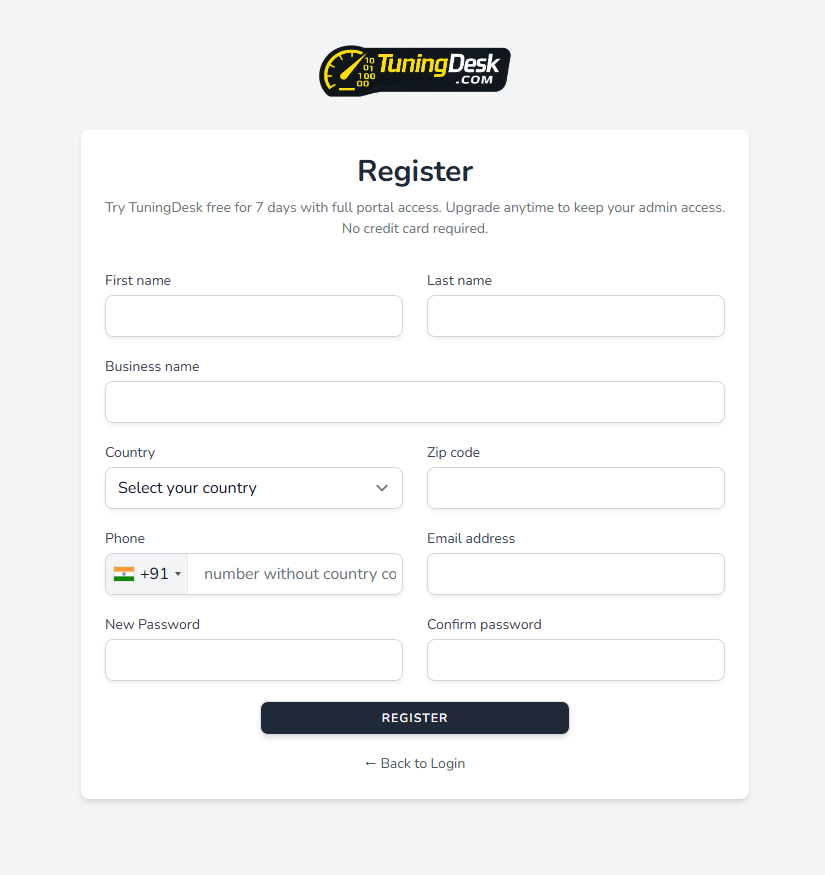
Fill in the registration form with the following required information:
- First Name – Enter your first name.
- Last Name – Enter your last name.
- Business Name – Enter your business or organization name.
- Country – Select your country from the dropdown menu.
- Zip Code – Enter your postal code.
- Phone – Provide your contact number with country code.
- Email Address – Enter a valid email address (used for account verification).
- New Password – Create a strong password for your account.
- Confirm Password – Re-enter the password to confirm.
Step 3: Review Registration Form
Below is the complete registration form showing all required fields:
Step 4: Complete Registration
- Click the Register button to submit your details.
- If you already have an account, click ← Back to Login to return to the login page.
Step 5: Email Verification
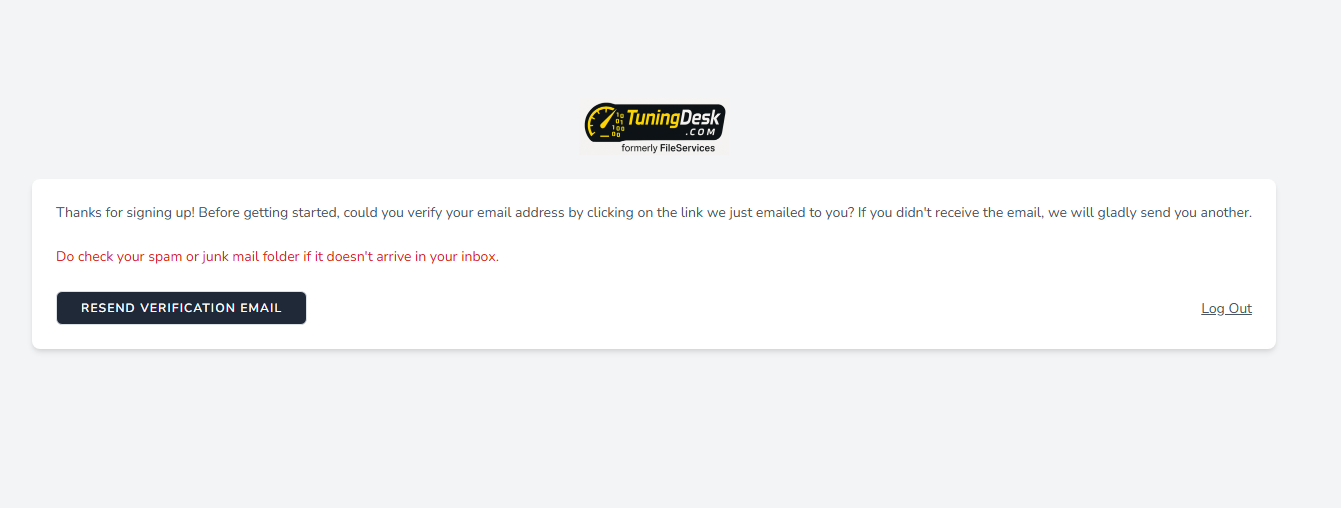
After successful registration, a confirmation email will be sent to your registered email address. You must verify your email by clicking the confirmation link before logging in.
User Login Process
To access your account, follow these steps:
Step 1: Visit the Login Page
Go to the login page: https://portal.tuningdesk.com/login
Step 2: Enter Login Credentials
- Email – Enter your registered email address.
- Password – Provide your account password.
Step 3: Choose Additional Options
- Remember Me – Check this box to stay logged in on your device.
Step 4: Log In
Click "Log in" to access your account.
Step 5: Forgot Password?
If you forgot your password, click "Forgot your password?" and follow the instructions to reset it.
Once logged in, you will be redirected to your tuning file analytics dashboard, where you can manage your account, track orders, and access services in the automotive tuning file platform.